Users list synchronization
The action allows you to synchronize a list of users. It is possible to synchronize all users at the same time or a selected user or group.
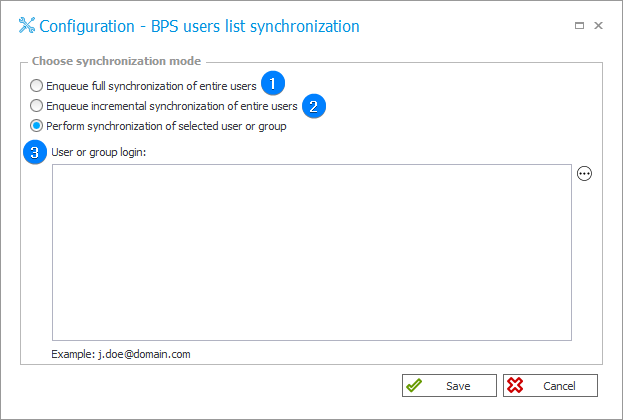
1. Enqueue synchronization of entire users
Allows you to synchronize all users in the system.
2. Enqueue synchronization of selected users or group
Allows you to synchronize changes made with respect to users (adding, deleting, editing a user).
3. Perform synchronization of selected user or group
Allows you to synchronize selected user or group.
In the field below enter User or group login (e.g. j.doe@domain.com) or group name.
caution
The last two methods of synchronizing users are much less time-consuming than full synchronization.
However, in the case of full synchronization, the user can be sure that all data will be properly updated and no elements will be missed, e.g. due to configuration errors.